
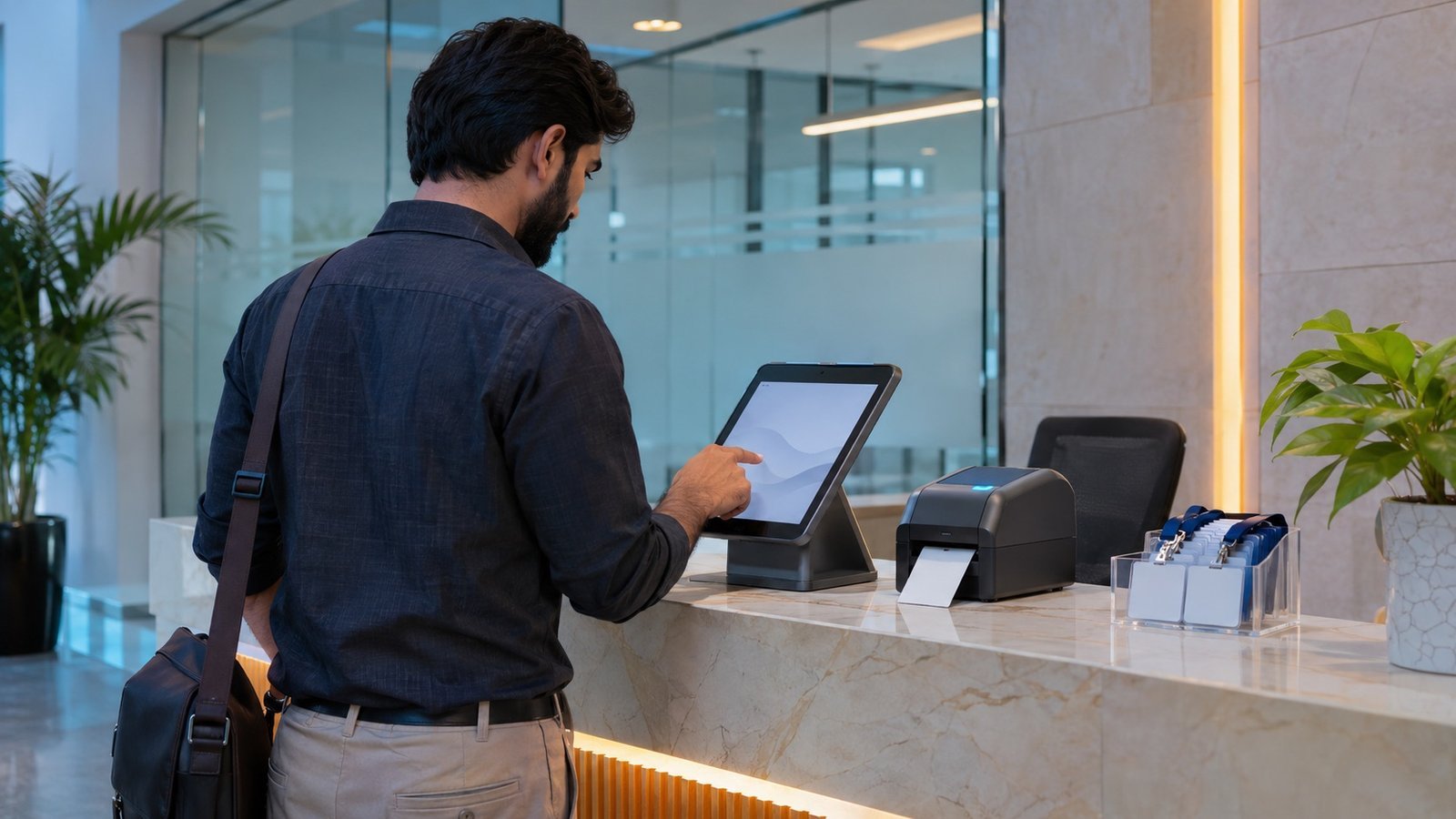
A visitor management system in Pakistan replaces the paper register at reception with software that registers, identifies, badges and tracks every visitor, and, when linked to access control, limits each visitor to the doors, gates and floors they need for the time of their visit. It gives security a reliable record of who is on site, hosts an alert when their guest arrives, and management reports that a handwritten book cannot provide.
This guide is for organisations choosing a visitor management system Pakistan-wide, from a single office to a bank or hospital group with many sites. It explains what the system does, how it connects to access control, turnstiles and lifts, and how to choose a set-up for your building.
What a visitor management system does
- Pre-registration: the host books the visitor in advance, so the visit, host, date and time window are known before arrival and the visitor can receive a QR code or invitation.
- Identity capture: reception scans the visitor's CNIC, passport or business card, or enters the details, so names and ID numbers are recorded accurately and legibly.
- Photo capture: a camera at the desk or kiosk takes the visitor's photo for the badge and the record.
- Badge, QR or card issue: the system prints a temporary badge, issues a QR code or encodes a visitor card.
- Host notification: the host is told by email, SMS or app when the visitor checks in.
- Watchlists: visitors can be checked against an internal list of people who are barred or need escorting, and security is alerted on a match.
- Check-out: visitors return the card or scan out, so the system knows who is still inside, which matters during an evacuation.
- Reports: searchable logs by visitor, host, company, date and entrance for audits and investigations.
Paper register vs visitor management software
| Aspect | Paper register | Visitor management system |
|---|---|---|
| Identity | Handwritten, often illegible or incomplete | Scanned ID details and a photo for every visit |
| Speed at reception | Queues at busy times | Pre-registered visitors check in quickly at a desk or kiosk |
| Access | Generic or no badge; visitors walk anywhere | Time-limited credential valid only for set doors, gates and floors |
| Host notification | Phone call from reception | Automatic alert to the host |
| Who is on site now | Hard to tell; check-out often missed | Live list of visitors still inside, useful for roll call |
| Watchlist screening | Depends on guards' memory | Automatic check and alert |
| Search and audit | Leafing through books | Instant search and reports |
| Privacy | Open book visible to every visitor | Role-based access to records, with a retention period |
Integration with access control, turnstiles and speed gates
A visitor management system on its own records visits; connected to access control, it also controls where visitors can go. The usual approach is:
- Temporary card validity: the visitor card, QR code or credential is enrolled with a start and end time, so it stops working automatically when the visit ends, even if the card is not returned.
- Door groups: each visit type is linked to a group of doors, for example the lobby gate and the meeting floor for a client, or the loading bay and a workshop for a contractor. Staff-only areas stay closed.
- Entrance lanes: visitors pass the same speed gates and turnstiles as staff, using a QR reader or card reader on the lane. Collecting visitor cards in a card-capture slot at the exit lane helps recover cards and confirms check-out. If you are still choosing the entrance hardware, our turnstile vs speed gate guide compares the options.
- Lift access: with elevator access control, the visitor credential enables only the floors linked to the visit, so a visitor to the 12th floor cannot ride to the 20th.
- CCTV: reception and lobby cameras can be reviewed against the visitor log when something needs investigating.
The key is that visitors and staff share one platform, card format and set of readers. Resco builds visitor management on the same access control and badging equipment it supplies for staff, so a visitor badge is issued, scoped and revoked in the same system.
Kiosk, reception desk or both
A staffed reception desk with an ID scanner, camera and badge printer suits most buildings, because staff can deal with exceptions, contractors, deliveries and VIP guests. A self-service kiosk lets pre-registered or repeat visitors scan a QR code or ID, take a photo and collect a badge without queuing; it works best where volumes are high and most visits are booked. Many corporate towers use both. Whichever you choose, place the check-in point before the entrance barriers, so nobody reaches the lifts without a valid credential.
Data privacy and record keeping
Visitor records contain personal data: names, ID numbers, photos and sometimes phone numbers. Good practice is to collect only what you need, restrict who can view records and ID images, set a retention period and delete records after it, and display a short notice telling visitors why their details are taken. Keep the server and database inside your secured network, back them up, and log administrator access. Check any legal, regulatory or contractual obligations that apply to your sector before deciding how long to keep records.
Multi-site organisations
Banks, hospital groups and companies with several offices or plants benefit from a central system, where each site runs its own reception but watchlists, reports and policies are managed from head office. This needs a reliable network link between sites, a clear split between local and central administrators, and a plan for what each reception does if the link fails.
Which buildings need a visitor management system
| Building type | Typical requirement |
|---|---|
| Banks and financial institutions | Identity of every visitor, escort rules for sensitive areas, audit trail |
| Corporate and multi-tenant towers | Fast lobby check-in, tenant pre-registration, lift floor restrictions |
| Hospitals | Visiting hours, ward restrictions, contractor and supplier control |
| Factories and warehouses | Contractor and driver registration, safety induction, restricted zones |
| Government and public sector | ID verification, watchlists, records for security review |
How to choose a visitor management system
- Map visitor types: clients, contractors, delivery staff, patients' attendants, interview candidates.
- Decide what identity check each type needs and what data you will record.
- List the entrances, gates, doors and lift floors each type may use.
- Confirm integration with your existing access control, turnstiles, lifts and CCTV, and whether visitor and staff cards share one format.
- Choose desk, kiosk or both, and plan the reception layout.
- Agree retention, privacy and reporting rules before go-live.
- Plan training for reception and security staff, and ongoing support.
Software licences, ID scanners, badge printers, kiosks, readers on lanes and lifts, and integration work all affect the budget; our guide to access control system cost factors covers how those items are quoted.
Resco's visitor management system
Resco develops more than 10 customised software applications in-house, including attendance (BAMS), canteen, evacuation, parking and visitor management. Its visitor management system handles walk-in and pre-registered visitors, photo capture and badge printing, host notification and time-limited credentials, and runs on the same access control platform as staff cards in Karachi, Lahore and Islamabad.
Frequently asked questions
What does a visitor management system do?
It registers visitors before or on arrival, verifies identity, captures a photo, issues a badge, QR code or card, notifies the host, checks visitors against a watchlist and records check-out. The result is an accurate, searchable record of who is on site.
Can a visitor management system work with our turnstiles or speed gates?
Yes, if it is integrated with the access control platform. The visitor credential is enrolled with a validity window and a door group, so it opens only the lanes, doors and lift floors needed for the visit and stops working when the visit ends.
Is a self-service kiosk better than a reception desk?
Kiosks speed up pre-registered and repeat visitors, while a staffed desk handles exceptions, contractors and VIPs. Most busy buildings use both, with kiosks handling routine arrivals and staff handling the rest.
How should visitor data be protected?
Collect only what you need, limit who can view records and ID images, set a retention period and delete records after it, and tell visitors how their data is used. Check any legal or regulatory obligations that apply to your organisation.
Which buildings need visitor management most?
Banks, corporate and multi-tenant towers, hospitals, factories and government buildings, where many people arrive each day and the organisation needs a reliable record of who entered, who they met and when they left.
Since 1990, Resco has designed, installed and supported security systems for organisations across Pakistan. To discuss visitor management for your building, request a proposal, call +92 21 36378960-2 or email info@resco.com.pk.